Connect to PostgreSQL in VS Code

To connect to PostgreSQL from Visual Studio Code (VS Code), you can use an extension called “PostgreSQL” which provides a graphical interface to interact with your PostgreSQL database.

Install Link – PostgreSQL extension

Connecting to PostgreSQL from VS Code provides several benefits, including:

    • Connect to PostgreSQL instances
    • Manage connection profiles
    • Connect to a different Postgres instance or database in each tab
    • View object DDL with ‘Go to Definition’ and ‘Peek Definition’
    • Write queries with IntelliSense
    • Run queries and save results as JSON, csv, or Excel

Install VS Code PostgreSQL extension

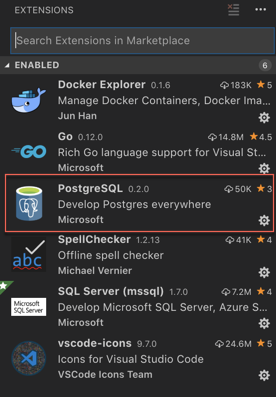
  1. Install the “PostgreSQL” extension in VS Code. You can do this by opening the Extensions view (Ctrl + Shift + X), searching for “PostgreSQL” in the search bar, and clicking on “Install” next to the “PostgreSQL” extension by Microsoft.

  2. Open the “PostgreSQL” extension by clicking on its icon in the Activity Bar (left sidebar).
    a

QuickStart

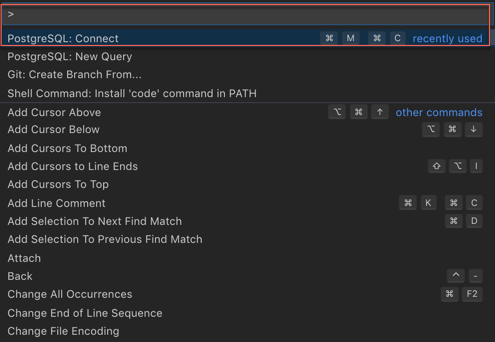
  1. Open the Command Palette Ctrl + Shift + P  (On mac use  ⌘ + Shift + P)
  2. Search and select PostgreSQL: New Query
  3. In the command palette, select Create Connection Profile. Follow the prompts to enter your Postgres instance hostname, database, username, and password.

a

You are now connected to your Postgres database. You can confirm this via the Status Bar (the ribbon at the bottom of the VS Code window). It will show your connected hostname, database, and user.

Query the database

  1. Type a query ex. SELECT * FROM pg_stat_activity;
  2. Right-click, select Execute Query / keyboard shortcut [⌘M ⌘R] and the results will show in a new window.
  3. You can also save the query results as JSONCSV or Excel.

So now, you can seamlessly code for PostgreSQL from Microsoft VS Code without switching screens, leverage powerful intellisense and execute queries.

Enjoy Coding!

IMP NOTE: Result windows from queries won´t show up again after being closed. This is bug with current version and is being worked by dev team. Workaround is either to keep the result window Open Or close / re-open the VS code window.
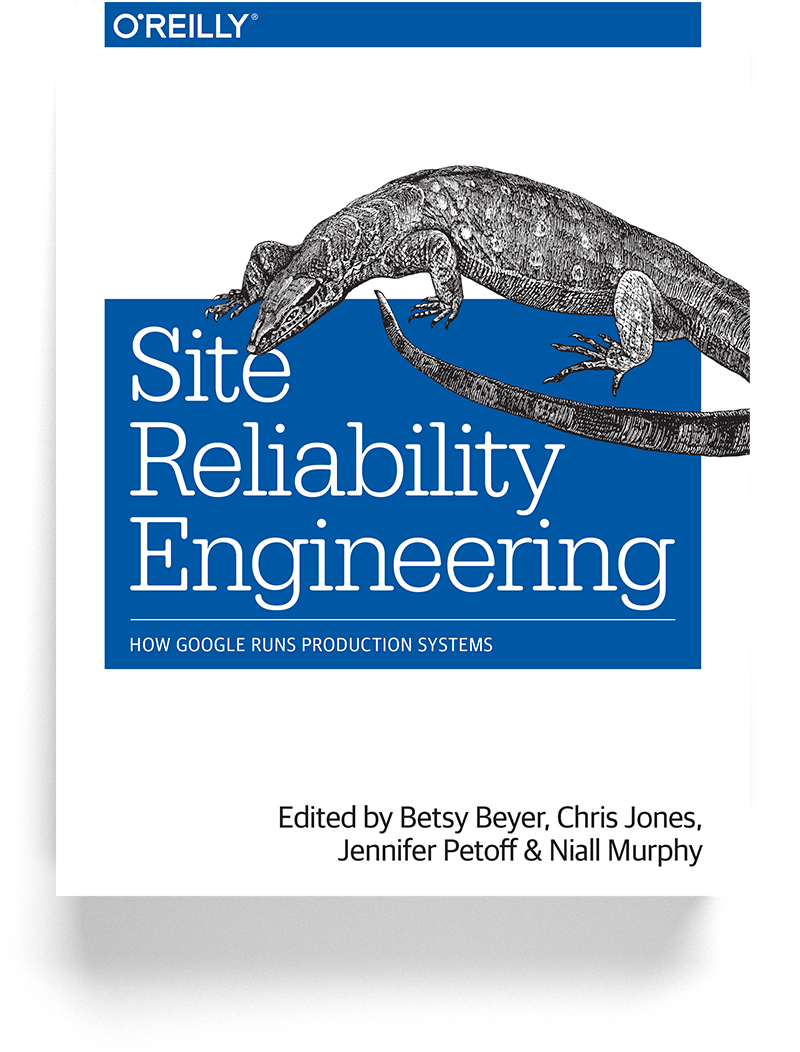
 

Site Reliability Engineering: How Google Runs Production Systems – Book Review

Essential Read for anyone managing highly available distributed systems at scale

First off – It’s worth let you know that Google lets you read this “entire” book online for free on their website. Yes you read it right, you don’t need to buy the book, just click on below link – https://landing.google.com/sre/sre-book/toc/index.html and start reading!

Continue reading “Site Reliability Engineering: How Google Runs Production Systems – Book Review”

Azure Data Studio – Switching from Management Studio (SSMS) to Azure Data Studio (ADS)

Azure Data Studio (formerly SQL Operations Studio) is a free Cross-Platform DB management tool for for Windows, macOS and Linux. Azure Data Studio (ADS) initial release was only compatible for SQL Server, however recently Microsoft released a PostgreSQL extension for ADS – so now you can also manage your PostgreSQL instance using ADS. For more details on Azure Data Studio PostgreSQL Extension, refer to my earlier posts

Continue reading “Azure Data Studio – Switching from Management Studio (SSMS) to Azure Data Studio (ADS)”

Azure Data Studio PostgreSQL Extension – Custom insight dashboard

Azure Data Studio (formerly SQL Operations Studio) is a free Cross-Platform DB management tool for Windows, macOS and Linux.  Staying true to their promise of offering a unified data management experience for developers, Microsoft recently released PostgreSQL Extension for Azure Data Studio

Continue reading “Azure Data Studio PostgreSQL Extension – Custom insight dashboard”

Azure Data Studio PostgreSQL Extension – Free data management tool to manage your PostgreSQL databases

Azure Data Studio (formerly SQL Operations Studio) is free Cross-Platform DB management tool for for Windows, macOS and Linux. Azure Data Studio was initially only released for managing SQL Server, however with the today’s Microsoft’s announcement , it will now be possible to connect and manage PostgreSQL databases with Azure Data Studio PostgreSQL Extension (Sweet deal!)

Continue reading “Azure Data Studio PostgreSQL Extension – Free data management tool to manage your PostgreSQL databases”

PostgreSQL Table Partitioning Part III – Partition Elimination

Understanding Partition Elimination in PostgreSQL 11

This is Part-III for my series on Postgres Table partitioning. I’ll encourage you to also read Part-I and II on this topic.

Continue reading “PostgreSQL Table Partitioning Part III – Partition Elimination”

PostgreSQL Table Partitioning Part II – Declarative Partitioning

Starting Postgres 10.x and onward, it is now possible to create declarative partitions.

In my previous post ‘postgresql-table-partitioning-part-i-implementation-using-inheritance‘, I discussed about implementing Partitioning in PostgreSQL using ‘Inheritance’. Up until PostgreSQL 9, it was only way to partition tables in PostgreSQL. It was simple to implement, however had some limitations like:

Continue reading “PostgreSQL Table Partitioning Part II – Declarative Partitioning”

PostgreSQL Table Partitioning Part I – Implementation Using Inheritance

In earlier PostgreSQL versions, it was not possible to declare table partitions syntactically. Partitioning can be implemented using table inheritance. The inheritance approach involves creating a single parent table and multiple child tables (aka. Partitions) to hold data in each partition range.

In this post, I’ll discuss the implementation of table partitions using inheritance. However before proceeding, let’s first understand why do we need partitioning? Continue reading “PostgreSQL Table Partitioning Part I – Implementation Using Inheritance”

PostgreSQL-Diagnostic-Queries

psql queries to quickly Identify & resolve database performance problems

As a seasoned data store engineer, I often find myself in situations where a production application is down due to some sort of performance issue and I am being asked “What’s wrong with the database?”. In almost all these situations, the database (along with the DBA) is automatically considered guilty until proven innocent. As a DBA, I need the tools and knowledge to help quickly determine the actual problem, if there is one, because maybe there’s nothing wrong with the database or the database server. My favorite approach to start with data driven performance analysis using  PostgreSQL systems catalog

In below post, I am sharing bunch of PostgreSQL system catalog queries that can be used to troubleshoot database engine performance

Postgres system catalogs are a place where database management system stores schema metadata, such as information about tables and columns, and internal bookkeeping information. PostgreSQL’s system catalogs are regular tables.

Continue reading “PostgreSQL-Diagnostic-Queries”

“Hit Refresh” Book Review – Transforming Microsoft with a growth mindset 📚

“A mind needs books as a sword needs a whetstone, if it is to keep its edge. – George R.R. Martin”

516+-p6YgoL

Yes, I admit that I sort of dropped the ball on reading. What was more surprising is that all this while I almost did nothing to correct it. Fortunately sanity prevailed and my wife who herself is a voracious reader and a writer (though her first masterpiece is still in making) help me remind about all the good things I am missing by not reading. So I picked up books again!

This blog is share reviews of whatever little I’ve read and learn from your thoughts.

Continue reading ““Hit Refresh” Book Review – Transforming Microsoft with a growth mindset 📚”